June 10, 2026
Directus MCP: How to Use the Model Context Protocol with an LLM

4 minutes reading

Last December, the Directus team announced the arrival of a native MCP server in their ecosystem.
The promise: enable any LLM to interact directly with a Directus instance in a conversational manner.
But what does the MCP actually add beyond Directus's already comprehensive API? Let’s take a hands-on look at the MCP in action.
What is MCP?
The MCP (Model Context Protocol) is a standard that defines how an LLM can communicate with an application. It makes the application's capabilities, actions, and constraints readable to an LLM, while enforcing strict permissions and schema boundaries. We previously explored this in an earlier article: A Practical Guide to the Model Context Protocol: All You Need to Know about MCP Tools and Servers.
The Directus MCP
The Directus MCP server exposes its features as tools, which are automatically discoverable by an LLM. This allows any LLM to read collections, modify schemas, manage content, or navigate complex relationships.
Among these tools, you’ll find:
- Management of collections and fields
- CRUD operations (Create, Read, Update, Delete) on items
- Asset management
- Reading permissions and roles
- Certain advanced schema operations
You can find the full list in the official documentation, but here's the key takeaway: 👉 there’s nothing fundamentally new here compared to the existing Directus API.

The real added value of MCP is in real-time interaction: the LLM can reason about your Directus instance, orchestrate migrations, and more.
The downside of MCP is token consumption. Each interaction carries context, multiple tools with their descriptions, and often several successive calls for a single user intent. Context can easily get overloaded.
MCP excels for conversational, exploratory, or prototyping use cases.
However, for recurring workflows, silent automation, or batch processing, its value is more questionable.
In those cases, a more direct approach—using the API, hooks, or automation scripts—is generally more efficient and predictable.
How to Use Directus MCP
There is clear and thorough documentation and several tutorial videos on the subject. Broadly, to get started you’ll need:
- A Directus instance (>v11.2)
- An AI client (Cursor, Claude Desktop, Copilot, ChatGPT, etc.)
- A (new) user in your instance with the appropriate permissions (plus their token).
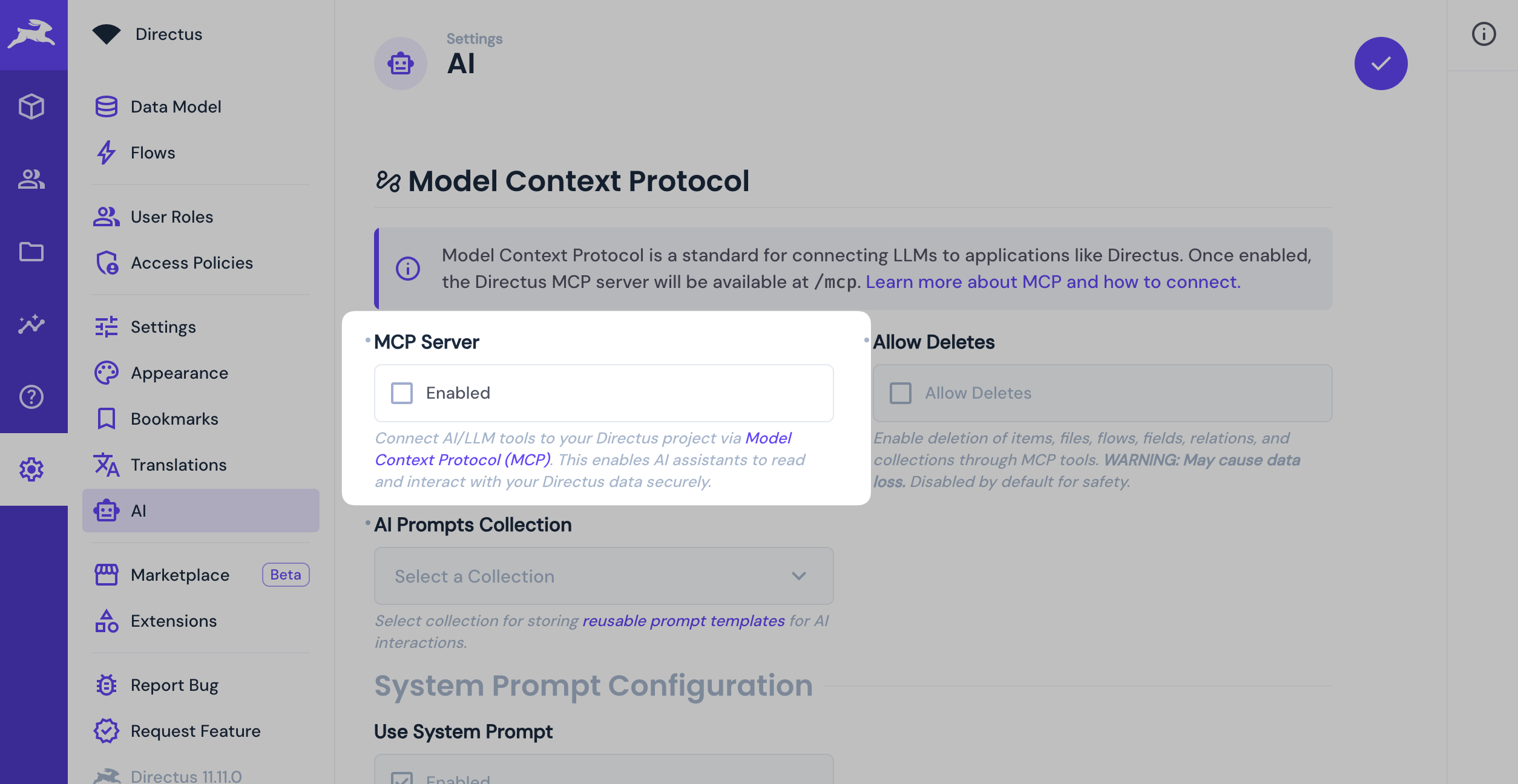
MCP is disabled by default; you need to explicitly enable it in your configuration.
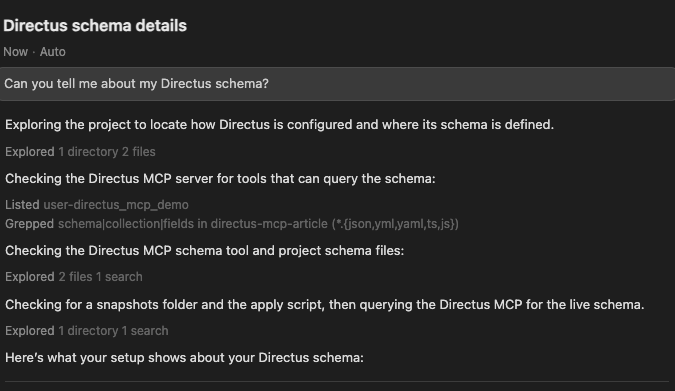
Once your MCP server is configured and connected to your AI client, a simple first test is to ask an open question about your instance: "Can you tell me about my Directus project?"
If everything is set up correctly, the LLM should be able to:
- query collections
- understand the schema
- and provide a coherent overview of your project.
Testing MCP
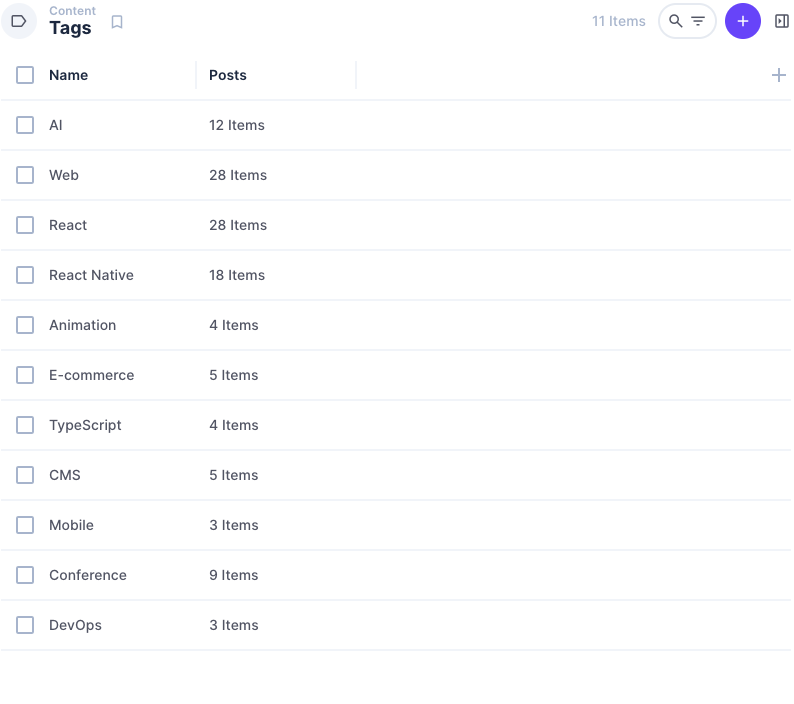
To put MCP to the test, I added a tagging feature to an existing blog. The goal was twofold:
- create a new
tagsmodel - analyze the content of already published articles to automatically assign relevant tags.
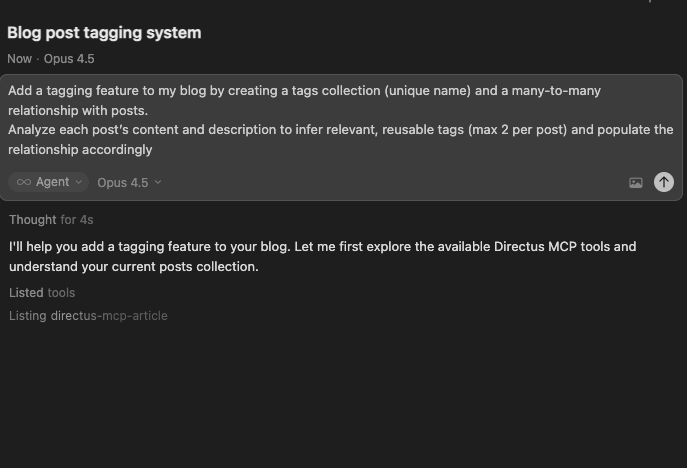
This test combined several steps: schema creation, semantic content understanding, and writing new relationships—all the kinds of tasks MCP is meant to simplify.
One minute later, I had my new model and my blog posts updated accordingly.
Relevant Use Cases
To go beyond the “demo” effect, I explored and identified a few concrete MCP use cases that might win over the skeptics.
For Content Teams
MCP mainly empowers non-technical users to be more autonomous. The conversational interface dramatically eases the learning curve for Directus and cuts down on back-and-forth with technical teams, especially during onboarding or time-consuming one-off tasks.
- Migrating articles from Google Docs, Notion, or raw Markdown
- Renaming and restructuring media assets
- Copying or duplicating existing structures
- Conversational search within an editorial catalog
“Find me the article about product X published last year, even if the exact title doesn’t contain the product’s name.”
For Developers
For technical users, MCP doesn’t replace traditional tools, but it does speed up prototyping and brainstorming phases. It lets you explore a schema, test hypotheses, or tweak models without diving into the codebase or learning the existing system from scratch.
- Rapid prototyping of new models
- Exploring an existing database without knowing its history
- Tedious data migrations
“Explain how the collections projects, clients, and invoices are linked, and tell me where the single source of truth for invoice status can be found.”
There are lots of possible uses, but MCP isn’t an automation engine or a replacement for the API. It’s especially useful for exploring, prototyping, or making occasional changes to an instance. For those needs, it delivers on its promise.
It’s also worth noting that Directus isn’t the only CMS experimenting with this kind of integration. Other platforms, like Strapi and Sanity, also offer MCP-based integrations.